


Classroom Booksource is a game-changer for your classroom library organization!
Do your students or colleagues borrow books from you but the books never seem to make it back? Do you buy duplicates of books because you don’t remember what you already have or can’t find books when you need them? I definitely struggled with these frustrations in the past, but Classroom Booksource has been extremely beneficial in helping me to organize my classroom library! I want to show you some of the valuable features of Classroom Booksource to help you with your classroom library organization!
**Since first writing this post, Classroom Booksource has gone through some updates. As a result, your dashboard may not look exactly the same; however, the tools should all be the same. They have also added some incredible updates to help build a more diverse classroom library. These improvements make it an even more incredible tool for organizing your library!
This post includes affiliate links for which I may make a small commission at no extra cost to you should you make a purchase.
Teacher Tools on Classroom Booksource
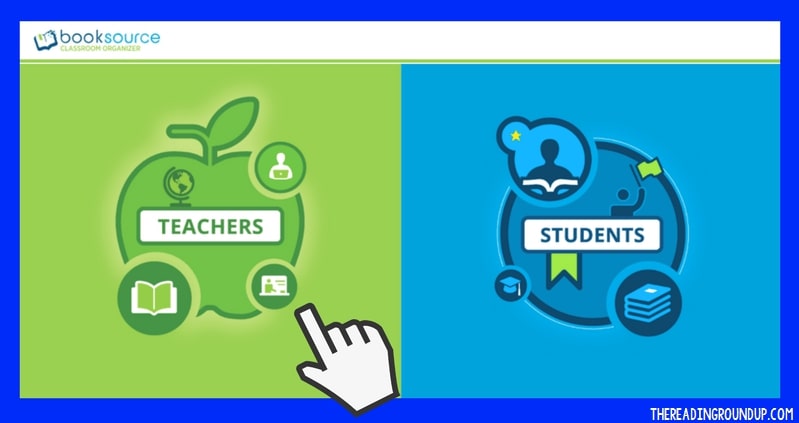
When you login to Classroom Booksource, you have the option to view it as a teacher or a student. I’ll first show you the features for teachers.
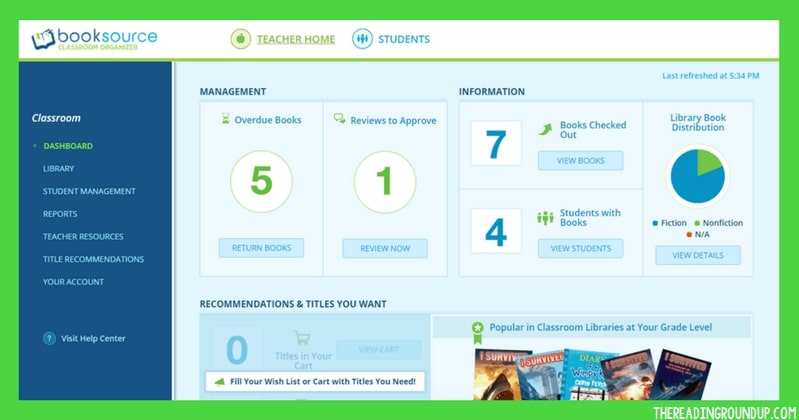
When teachers log in, they will see this screen. I love that it allows you to quickly see how many books are checked out! If you click on the information, it will provide more details such as who has books checked out and which books they have.
Classroom Library Reports
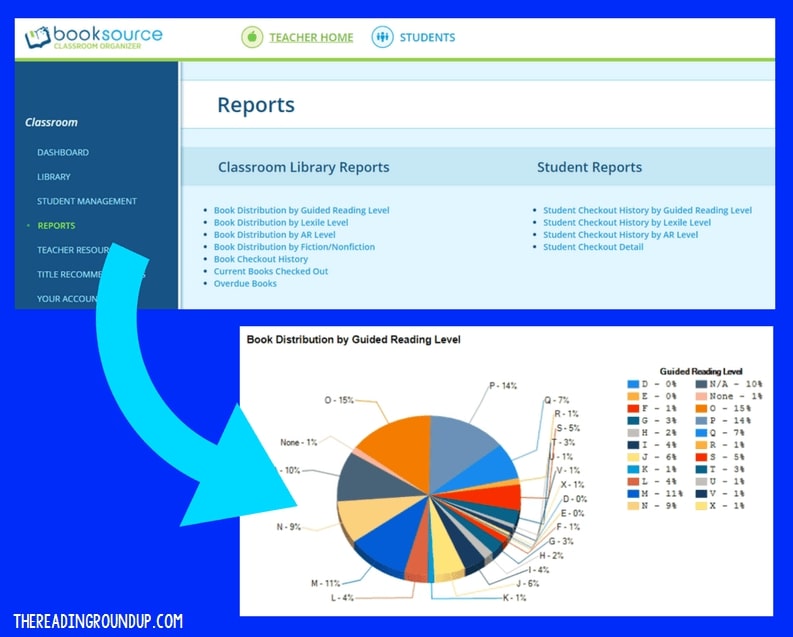
Classroom Booksource provides reports that allow you to see things such as the book distribution by reading level or the percentage of nonfiction versus fiction books in your library. This feature is very beneficial in helping to identify the types of books you already have plenty of in your classroom library and which types you’re currently lacking. They’ve also recently added a diversity audit report which helps build a more diverse classroom library.
Adding Books to Your Classroom Library
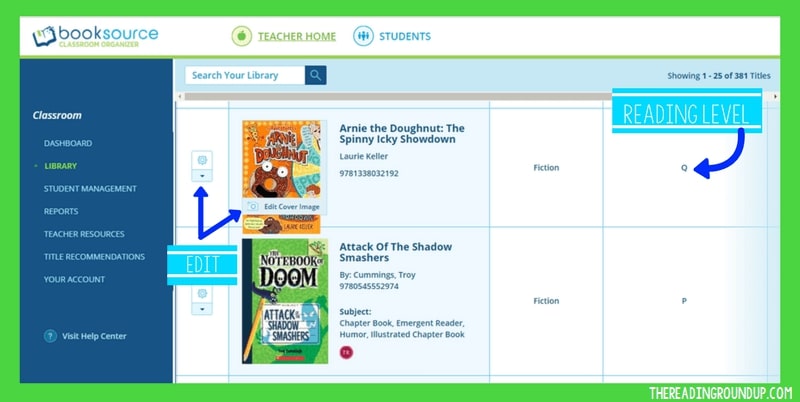
You can add books to your classroom library two ways: scanning the barcodes using the app or using the ISBN number. Most books will auto-populate with the cover image, title, author, and reading level. This is a HUGE time saver and extremely helpful with organization. There is an edit button and option to add a cover image if that information does not auto-populate.
(Disclaimer – I do not find the app to be user-friendly. I tend to just work on the desktop version. But you can purchase a barcode scanner to plug into your computer).
For texts without a scannable barcode, you can create your own with a FREE Barcode Generator. Type in the text you want to be displayed, such as the title. It will automatically create a barcode that you can download as an image. Add these images into a document to print on Avery labels.
When finding a reading level, I love using Scholastic Book Wizard. You just type in the book you’re looking for and one of the options it shows will be the guided reading level. There are some books that do not have it listed, but I’ve been able to find the reading level for 95% of my books so far.
Book Quantities, Locations, and Conditions
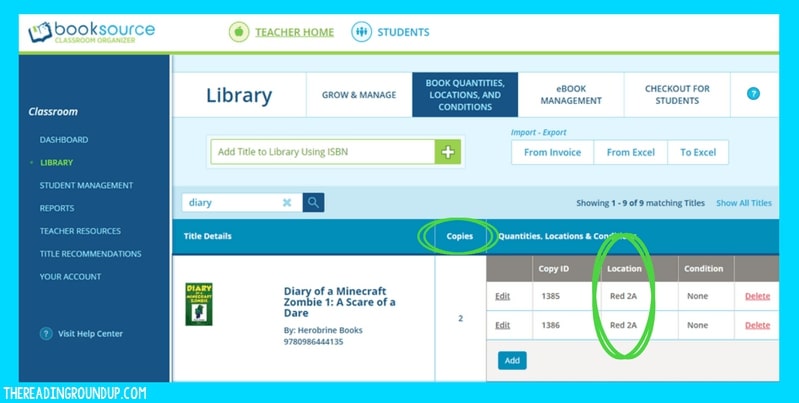
Once you’ve added your books, you can further organize them under the tab titled: Book Quantities, Locations, and Conditions. This allows you to indicate the number of quantities of each book and the location. The quantity will automatically update if you scan each book separately or you can just select the option to add a book. It will assign a COPY ID of each individual copy, but I personally don’t need to be that specific about labeling my books. Another option I haven’t used is the ability to identify the condition of the book. These are both useful options to have, but just not necessary for me.
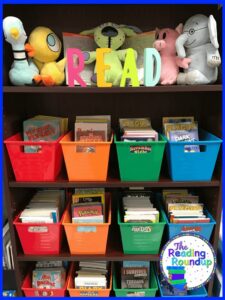
Select where each book is located by setting up library locations. Choose whatever locations work for your library. You can organize it by genre, topics, author, or however else you have your classroom library organized. Since I work with students in multiple grade levels, I simply organized mine by location on my bookshelf (shelf, bin).
Student Tools on Classroom Booksource
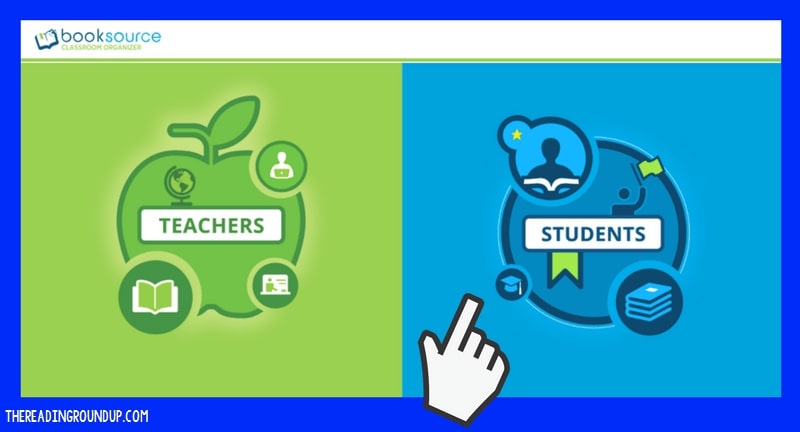
Classroom Booksource makes it so easy for students to browse, loan, and return books! When students log in, they are first shown a screen to select their name.
Book Checkout

They are then given an option to checkout or return books. When they choose to check out books, they can easily browse or search through the books in your classroom library. If they click on the book, they can see additional information including the location. This makes it easier to find the actual book in your library. To check out the book, all they have to do is select the green Check Out Book box.
Book Return
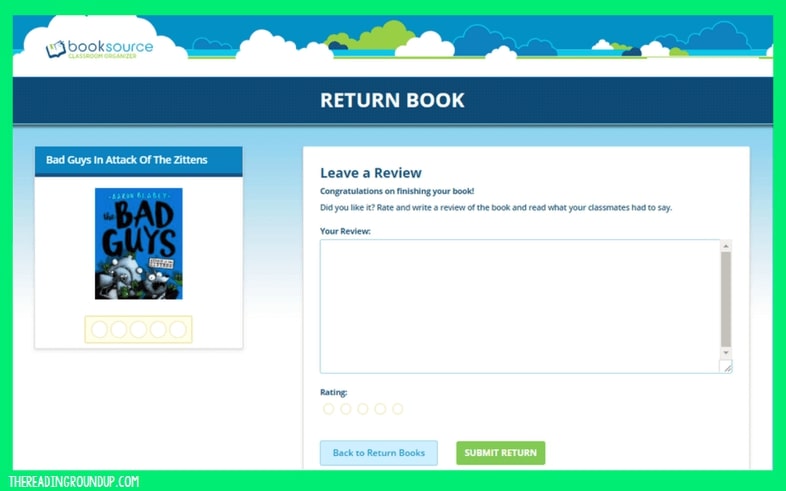
When students return the book, they have the option to write a review and provide a rating. This is a great way for me to get a better idea of the types of books students are interested in so that I can recommend similar titles.
You could have a computer or ipad near your classroom library set up for student book check out. Since I work with small groups of students, I just take a couple minutes at the beginning or end of our session to check out books. It alleviates the hassle of students trying to check out the books themselves and makes the process much faster! Plus I like being able to see which books students are selecting. As previously mentioned, you can get a barcode scanner to help with this process.
See Classroom Booksource in Action
I created a video that shows all of these features in action. Remember, Classroom Booksource has been updated since this original video was created. So your dashboard may look slightly different, but the tools are still the same. You can also view the diversity audit option to build a more diverse classroom library.
What tools, apps, or strategies have you found beneficial for your classroom library organization? Share them in the comments!

Want to Pin this for later?





Is there a way for students to checkout multiple copies of a book?
Yes! You just need to make sure you edit the quantity of the book when you add them into your library database!
Thank you for this resource. I was in the middle of trying to figure out how I was going to do my “check-out” system and now I know!!!
Are you able to use all of these features with the free version?
Yes! I have a free account. It’s such an amazing tool!